Loading page content
Understanding Website Cookies
September 17, 2026•8 min read
Last updated October 29, 2026
You visit a website, and before you can read anything, a small message pops up on your screen:
“This website uses cookies.”
Underneath, you might see options like “Accept All,” “Reject All,” or “Manage Preferences.”
Most of the time, you probably just click “Accept All” and continue browsing.
But have you ever wondered what you’re actually accepting?
What exactly is a cookie, and why does a website need one?

Let’s break it down.
What is a cookie?
A cookie is a small piece of information that a website asks your browser to store on your device (phone, laptop, tablet, etc.).

That might sound a little technical, but the idea is actually very simple.
Think about visiting a provision store for the first time. The shopkeeper does not know you. But after you’ve visited a few times, they might start remembering you, what you usually buy, or how you like things.
Cookies allow websites to do something similar.
When you visit a website, the website can ask your browser to store a small piece of information. When you visit the site again, your browser can send that information back so the site can remember certain things about what you did on your previous visit.
For example, a website might use a cookie to remember that you're already logged in, so it takes you straight to your dashboard instead of the login screen. Or it might remember that you prefer the site displayed in a particular language.
So, when we talk about cookies here, we’re not talking about food.
We’re simply talking about small pieces of information that websites store in your browser to help them remember things about you.
How do cookies actually work?
Here’s what happens when you visit a website.
Let’s say you visit an online store like Jumia Ghana.
As the site loads, you might see a small message pop up on your screen asking you to accept cookies. When you click “Accept Cookies,” the website can ask your browser to store certain information about your activities on the site.
Your browser then saves that information on your device.
Now, imagine you leave the site and come back later.
When you visit the website again, your browser can send that information back to the Jumia Ghana site. The site can then use that information to recognise things about your previous visit.
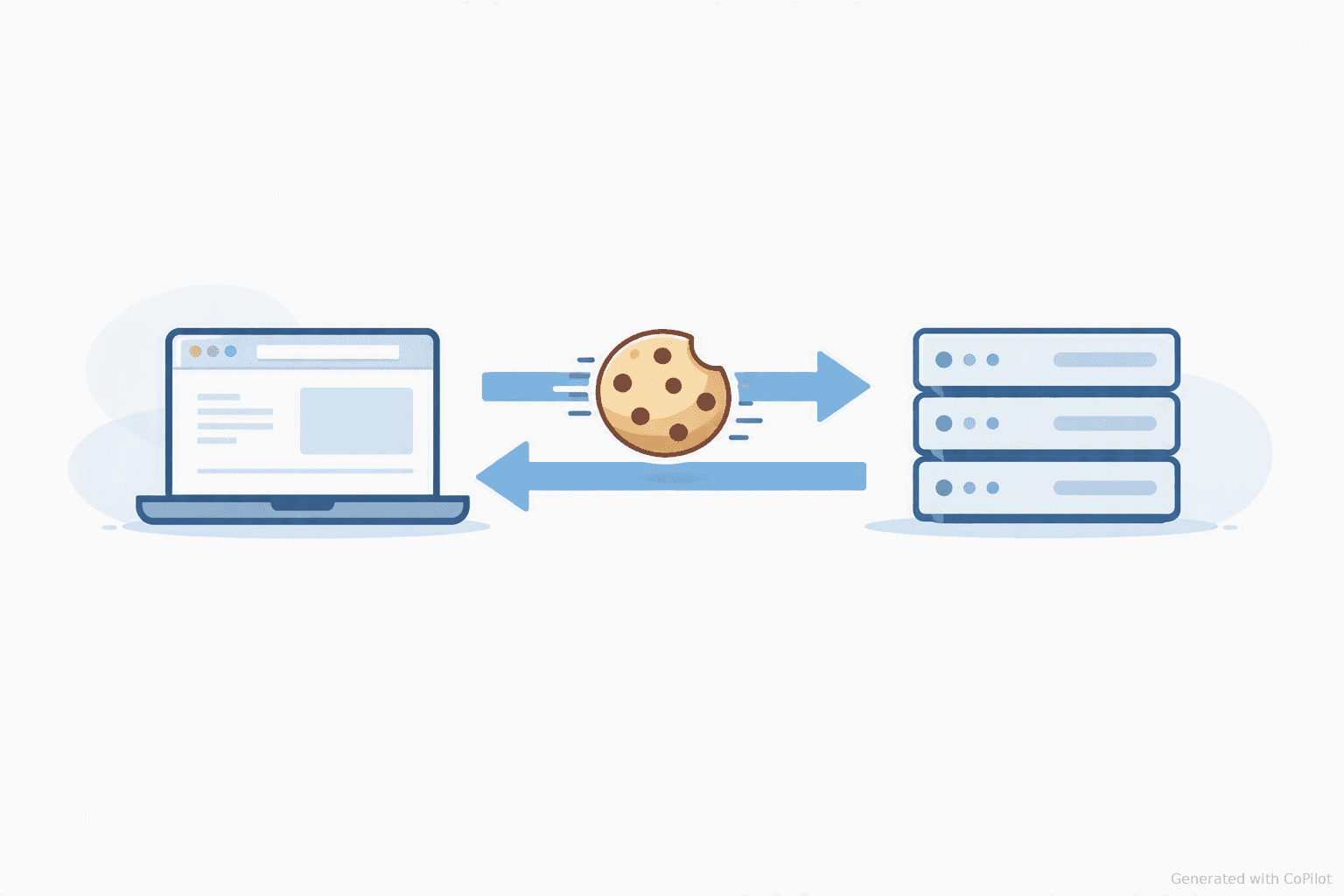
For example, if you selected English as your preferred language, the website might remember that choice when you return. Also, if you added a phone charger to your cart, the site can remember that you have a charger in your cart.
You don’t have to do anything special when you visit the site. Your browser sends the relevant cookie to the website, and the website can use it to remember certain things about you.
The important thing is that you don’t see any of this happening. Everything happens behind the scenes. You open the website, keep browsing, and the site remembers who you are and what you did the last time you visited.
Are all cookies the same?
Not really.
There are different types of cookies, and each one has a different job.
The first type of cookie you'll normally come across is a necessary cookie.
As the name suggests, these cookies are needed for certain parts of a website to work properly. For example, they can keep you logged in to a site so you don't have to enter your username and password every time you come back.
Then there are preference cookies. These remember choices you've made on a website, such as your preferred language, whether you selected dark or light mode, or other settings, so you don't have to select them again every time you visit.
You'll also come across analytics cookies. These help website owners understand how people use their websites. For example, they can show site owners which pages are popular, how many people visit the site, or how long visitors spend on a page.
Finally, there are advertising cookies, sometimes called tracking cookies. These can track your activity on different websites and help companies understand what you're interested in, so they can show you ads for things you would probably want to buy.

When you see an “Accept All Cookies” button on a website, remember that you’re not necessarily accepting just one type of cookie. You could be accepting several different types, and each one has a different job.
Some help the website work properly. Others remember your preferences or help website owners understand how people use their site. And some also help companies show you ads for things you might be interested in.
Can cookies track you?
You’ve probably experienced this before.
You search on Google for a pair of sneakers. Maybe you visit a few websites to check the prices and stuff. Then, later, you open YouTube, and suddenly you see ads for sneakers.
You might think:
“How did they know I was looking for sneakers?”
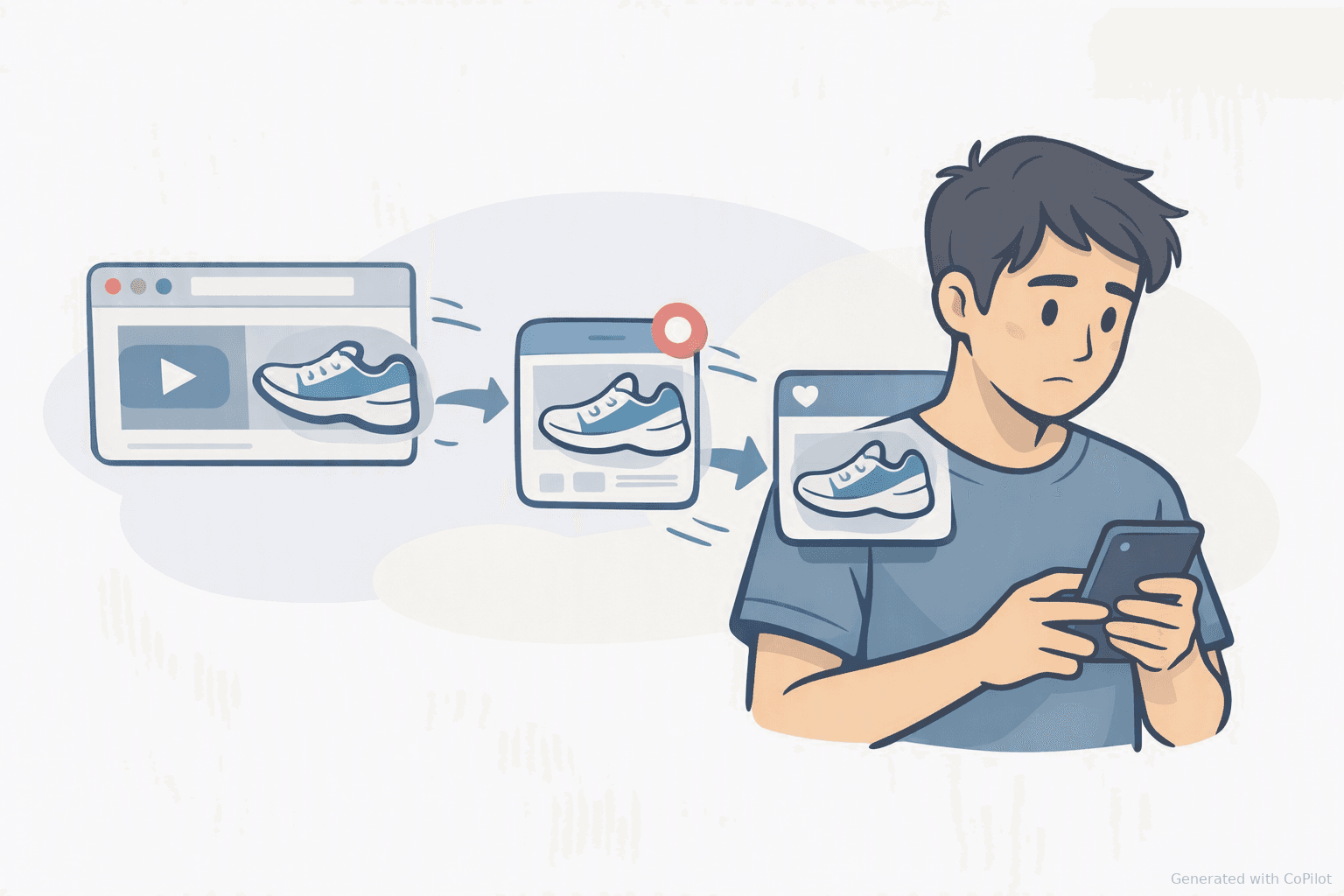
Well, cookies can be part of the reason.
As we discussed earlier, some cookies track your activity on a website. But here's where things get more interesting: sometimes, a company that doesn't even own the website you're visiting can also place a cookie in your browser.
For example, imagine you visit the Jumia Ghana website to look for a pair of sneakers. You look at a few different sneakers and maybe check their prices.
Then, later, you open YouTube to watch a few videos about sneakers.
A little while later, you open YouTube again or visit another website, and you start seeing ads for sneakers.
Now, here's where Google and other advertising companies come in.
Google runs an advertising service called Google Ads. Many businesses use Google Ads to advertise their products on Google Search, YouTube, and many other websites.
So, if Jumia uses Google Ads to advertise their products, Google can use information about people's activity on the Jumia site to decide which ads to show them.
For example, if you've been looking at sneakers online, advertising companies like Google Ads can use that information to understand that sneakers might be something you're interested in. That can then influence the kinds of ads you see.
Cookies are one of the ways this kind of information gets tracked and remembered.
This is why advertising cookies have become such a big privacy issue.
But there’s an important distinction here: not every cookie tracks you.
A cookie that keeps you logged into your account does a very different job from one that helps an advertising company track your activity across different websites.
How do you know what cookies you’re accepting?
Now that you know there are different types of cookies, you might be wondering:
“How do I know which one I’m accepting when I click accept cookies on a site?”
The answer is usually in the pop-up that appears on your screen asking you to accept cookies.
When you visit a website and see options such as “Accept All,” “Reject All,” or “Manage Preferences,” these buttons don’t all mean the same thing.
If you click “Manage Preferences,” the website will usually show you the different categories of cookies it wants to use.
You might see categories such as:
- Necessary cookies: also known as Essential cookies or Strictly necessary cookies
- Preferences cookies: also known as Functional cookies or Functionality cookies
- Analytics cookies: also known as Performance cookies or Statistics cookies
- Advertising/Marketing cookies: also known as Targeting cookies
This gives you more control over what you’re agreeing to.
For example, you might be comfortable with necessary and preference cookies, but turn off advertising cookies.
Some websites also let you see more details about each cookie, such as who created them and how long they stay on your device.
So the next time a pop-up message appears on a site asking you to accept cookies, take a moment to click “Manage Preferences” to see what kinds of cookies you’re agreeing to.
Conclusion
The internet is full of things we often interact with but don’t really think much about, and cookies are one of the biggest examples.
That pair of sneakers that seemed to follow you from Jumia Ghana to YouTube? Now you know how that can happen.
The next time that little “Accept Cookies” message pops up on your screen, you don’t have to click “Accept All” right away.
You now know that there are different kinds of cookies, and each one does a different job. And you can choose which ones to accept by clicking “Manage Preferences.”
Related posts
- The Cedi’s Depreciation Is More Complicated Than I Thought
- How JWT Authentication Works in Node.js
- Letting Go